Speaker Cleaner - Water Eject
- 4.1
- Rating
- 500.00K
- Installs
- Free
- Price
 Analysis by App-foxy
I installed Speaker Cleaner - Water Eject to see whether it feels like a practical productivity tool or simply another quick utility that promises more than it can deliver. My impression is fairly clear: it is aimed at one narrow problem, getting unwanted moisture out of a phone speaker, and its value depends heavily on using it at the right moment. It is not an audio editor, a phone maintenance suite, or a replacement for careful hardware handling. Instead, it is a focused app from Ego Global Ltd that tries to make a potentially awkward recovery step easier for ordinary users.
The app is free, carries an Everyone age rating, and is available for devices running Android 7.0 or later. Its current version is 1.6.0, and the listing shows more than 500 thousand installs with an average rating of 4.2 from roughly 300 ratings. Those figures suggest that the idea is easy to understand and useful enough for a sizeable group of phone owners, but they should not be mistaken for proof that every wet speaker can be restored. A speaker-cleaning tone can help with some situations; it cannot repair corrosion, a torn speaker, or liquid that has reached deeper parts of a device.
What the app is really for
The most useful way to think about this application is as a guided first response after a small splash or brief exposure to water. If your phone still turns on and the speaker sounds muffled, buzzing, or quieter than normal, a controlled audio routine may help move droplets away from the speaker opening. That is a very different task from drying the entire phone. I would not treat the app as permission to keep using a soaked device, charge it immediately, or test it repeatedly while liquid may still be inside.
You May Also Like

 Blood Strike: 2.5 Anniversary
Blood Strike’s Loadouts Turn Every Drop Into a Tactical Gamble
A close look at Blood Strike’s custom loadouts: how fast access to signature weapons reshapes its battle royale rhythm, rewards preparation, and narrows the gap between fights.

 Pandora - Music & Podcasts
Pandora’s Music Is Easy to Start, but Harder to Recover
Pandora’s strength is its low-effort path from a seed to a station. Its weak spot is how much confidence it asks you to place in connection, setup, and quiet recovery.

 8 Ball Pool
 Is Built on Rivalries, Rematches, and Routine
A close look at the rivalries, rematches, shared routines, and unanswered safety questions that turn a quick pool match into a persistent mobile community.

 Samsung Music
’s Quiet Strength Is Playing What You Already Own
Its reach comes less from spectacle than from dependable access to a personal library. That simplicity is both the app’s strongest retention engine and its ceiling.

 AccuWeather: Weather Radar
AccuWeather Review: A Quick, Clear Forecast for Everyday Decisions
For everyday plans, the best forecast is the one you can understand quickly. AccuWeather makes rain timing, radar, and local conditions easy to act on, with a few trade-offs.

 Hill Climb Racing
Why Hill Climb Racing Still Turns Crashes Into One More Run
A tiny car, a bumpy hill and one more upgrade: Hill Climb Racing keeps resurfacing because its simple chaos makes every near-miss feel personal.
More From Our News Desk



That distinction matters because the name can create an overly broad expectation. The app deals with the speaker area, not every component affected by moisture. In my view, it makes the most sense for a phone that has had a minor accident and remains otherwise responsive. It is less suitable when the device has been submerged, is restarting, is unusually hot, has a damaged screen, or shows charging problems. In those cases, stopping use and seeking proper repair advice is more sensible than trying several sound cycles.
The productivity classification also makes sense in a practical, everyday way. This is not an app I would open for entertainment or regular daily planning. It is a small utility that earns its place by being available when an inconvenient problem happens. That gives it a different kind of usefulness from a calendar or notes app: you may ignore it for weeks, then suddenly need a simple tool after rain, a poolside splash, a kitchen accident, or a damp pocket.
Speed expectations during a quick cleanup
One of the better qualities of this type of utility is that the user does not need a long setup process before trying it. The task is naturally short, so the experience should feel immediate rather than like a full troubleshooting session. When I assess an app like this, I care less about elaborate menus and more about whether I can understand the intended action without searching through unrelated options. A focused design is valuable here because the phone may be wet, the speaker may sound poor, and the user may be in a hurry.
Still, speed should be judged carefully. A fast start does not mean the speaker will recover instantly. Water can cling to the grille, and the result may depend on the phone’s construction, the amount of moisture, and whether the muffled sound is actually caused by liquid. If the sound improves after a short attempt, that is encouraging. If it does not, repeating the same action over and over is unlikely to turn a hardware fault into a software success.
My practical advice is to keep the phone at a moderate listening level while following the app’s routine, then check the speaker with a familiar voice recording or a normal call. Do not use an unfamiliar loud track as your only test, because distortion can be difficult to judge when you do not know what the original audio should sound like. A short, controlled check is more useful than immediately launching several cycles at maximum volume.
The important speed trade-off is simple: quick access is helpful, but patience is safer than repeated testing. After a small splash, I would use the app once, wipe the exterior with a soft dry cloth, and give the device time before deciding whether the issue has truly gone. The app can support recovery; it should not encourage rushed handling.
What happens during heavier or repeated use
This is not the kind of application I would describe as a heavy-use productivity tool. Most people will open it for a specific incident, run the relevant process, and close it. That limited workload is a strength because it keeps the purpose clear, but it also means there is little reason to leave it running in the background or return to it repeatedly throughout the day. Its usefulness is event-based, not continuous.
Repeated attempts are where I would become more cautious. If the speaker remains muffled after a sensible first try, the cause may be moisture in a place the tone cannot reach, residue around the grille, a blocked opening, or actual physical damage. More audio output does not automatically mean more drying. It may also make it harder to distinguish a temporary problem from a damaged component because the speaker is being driven while you are still diagnosing it.
A realistic scenario is a phone that gets splashed while someone is washing dishes. The device still works, but the bottom speaker sounds dull during a message playback. I would first disconnect any cable, dry the exterior, avoid pressing objects into the grille, and use the app as a limited attempt to clear the speaker. Then I would make a normal call or play a short familiar clip at a comfortable level. If the voice remains muffled, I would stop experimenting and let the phone dry in a safe place rather than treating the app as a complete repair solution.
Another useful scenario is outdoor use during light rain. A few drops on the speaker opening are a more reasonable match for this utility than a phone that has been dropped into a sink. In the lighter case, the app may save time by giving the user a structured action instead of random tapping and volume changes. In the heavier case, the correct response is broader device care, not simply a louder sound.
Stability and the limits of software recovery
For a narrow utility, stability means more than avoiding crashes. It means the app opens when needed, presents a clear path, and does not make the user guess whether the process has finished. The current version, 1.6.0, indicates an actively maintained release line, while the public rating of 4.2 suggests a generally positive reception with room for individual experiences to differ. I would read that as a reason to try it for a minor incident, not as a guarantee of identical results on every phone.
Device behavior can vary because Android phones use different speaker layouts, audio systems, and protective grilles. A tone-based approach may seem effective on one model and less noticeable on another. Even two phones from the same manufacturer can respond differently if one has more debris, a different enclosure, or an existing speaker issue. This is one reason I would judge the app by whether it offers a reasonable, low-friction attempt rather than expecting a universal fix.
Recovery also depends on recognizing when the app has reached its limit. If the phone becomes hot, behaves strangely, loses sound in other areas, or shows signs beyond a muffled speaker, I would stop using it. A software utility cannot safely diagnose every kind of liquid exposure. The safest recovery workflow is conservative: remove external moisture, avoid charging while there may be liquid inside, use the app only for the speaker symptom, and seek professional help if the problem persists or expands.
There is also a psychological benefit to a focused tool, although it should not be confused with technical repair. When a phone sounds wrong after a splash, people often try random volume changes, shake the device, or poke the speaker opening. A dedicated cleaner gives them a more orderly alternative. That can reduce careless handling. The app is most valuable when it replaces improvised actions with one controlled attempt and a clear decision to stop if the result is poor.
Device constraints and who should skip it
The minimum Android requirement is 7.0, so owners of very old phones may not be able to install it. For supported devices, the bigger constraint is not the operating system but the physical condition of the phone. The app is a reasonable match for a functioning device with a localized speaker problem after limited moisture exposure. It is a poor match for a phone that will not boot, has severe liquid damage, has a cracked enclosure, or has a speaker that was already failing before the incident.
I would also skip it if the phone is connected to power or another accessory and there is any reason to suspect moisture near the port. The speaker may be the symptom you notice first, but it may not be the only affected area. Likewise, I would not use a household hair dryer, compressed air, or sharp tool alongside the app. Those methods can create new problems, and the presence of a cleaning utility does not make aggressive drying methods safer.
People looking for a broader phone-care solution may prefer a different option. A general device diagnostic tool is better when the issue could involve microphones, charging, vibration, cameras, or system behavior. A repair shop is better for persistent distortion or suspected internal damage. A manual drying routine is better when the phone has suffered serious exposure and the priority is reducing further electrical risk rather than restoring speaker sound immediately.
On the other hand, someone who only wants a quick, dedicated response to a damp speaker may find this app more convenient than searching for instructions every time. Its free price lowers the barrier to keeping it available, and the Everyone rating makes it approachable for a broad household audience. I would still explain to younger users that the app is not a toy and that a wet phone should not be charged or shaken aggressively.
Resource demands and everyday practicality
Because the app addresses a short, single-purpose task, I would expect its practical resource demand to be modest during normal use. There is no good reason to keep a speaker-cleaning routine active longer than necessary, and I would close it after checking the result. The important resource is not battery life or storage in this case; it is the user’s attention. A rushed person can easily mistake a temporary improvement for a complete recovery, or keep repeating the process because the first attempt did not work.
A useful habit is to make a baseline check before using the app. Play a short clip you know well, note whether the sound is muffled on one speaker or all audio output, and avoid changing several settings at once. After the cleaning attempt, repeat the same check. This gives you a simple comparison and helps separate a speaker problem from a recording, media, or volume issue. It is a small workflow improvement that makes the app more useful than simply pressing a button and guessing.
I would also avoid testing with music at an uncomfortable level. A voice message, a normal phone call, or a familiar notification sound is easier to compare. If the speaker sounds clear enough afterward, let the phone rest rather than immediately stress-testing it. If it still sounds rough, document the symptom and move toward support or repair. That approach prevents the utility from becoming part of a cycle of repeated, uncertain experiments.
Another trade-off is convenience versus diagnosis. The app may help with the immediate sound, but it does not tell you whether moisture remains elsewhere or whether the speaker has suffered lasting harm. That makes it useful as one step in a recovery workflow, not as a diagnostic authority. Users who understand that boundary are more likely to benefit from it and less likely to delay proper help.
How it compares with the usual alternatives
The most common alternative is doing nothing except wiping the outside and waiting. That can be sensible, especially when the exposure was more serious, but it does not offer a targeted attempt to move droplets from the speaker opening. This app is more convenient when the phone is otherwise working and the symptom is clearly localized. Waiting remains the better choice when the device may have liquid inside or when using audio could create unnecessary risk.
Another alternative is searching for a web-based speaker-eject tone. A dedicated app is easier to keep ready and may feel less cluttered than navigating a browser during an accident. A browser approach can be useful if you do not want another utility installed, but it may involve more distractions and less consistent presentation. I prefer the app for preparedness, provided I remember that its focused purpose does not make it more powerful than the phone’s hardware allows.
Some users may turn to built-in device diagnostics or manufacturer support tools. Those are better when the question is whether the speaker, microphone, charging system, or other components are functioning correctly. This cleaner is narrower and potentially faster for the specific muffled-speaker situation. The choice depends on whether you are trying to clear a small amount of moisture or identify a broader fault.
Physical repair is the final comparison, and it is the right option when symptoms persist. No software-based sound routine should be used to postpone assistance after major exposure. The app has a sensible place before that point, but only for a limited, cautious attempt. Its strongest advantage is convenience, while its clearest weakness is that the user must supply the judgment about when to stop.
My performance verdict after weighing speed and recovery
I see Speaker Cleaner - Water Eject as a practical emergency utility rather than a complete phone-repair product. It is quick to understand, free to try, and specific enough to be useful after a minor splash. The 500K-plus install milestone and 4.2 average rating show that the concept has found an audience, while the narrow purpose explains why it will not be equally valuable to everyone.
My recommendation is conditional but positive. Keep it in mind if you want a simple first step for a muffled speaker on an otherwise healthy Android phone. Use it once in a controlled way, compare the result with familiar audio, and give the device time afterward. Do not treat a successful sound change as proof that the entire phone is dry, and do not keep repeating the routine when the problem points to deeper damage.
For people who expect automatic diagnosis, guaranteed restoration, or protection against serious water exposure, this is not the right choice. A broader diagnostic tool or professional repair service will be more appropriate. For someone who wants a focused productivity utility ready for an occasional wet-speaker incident, I think this app earns a place on the phone, especially because its free access makes that preparation easy.
My final view is that the app’s performance is best measured by restraint. It can make a small recovery task more organized and may help with localized moisture, but its real strength is giving the user a sensible first action without pretending to replace hardware care. Used with that expectation, it is a useful little tool from Ego Global Ltd. Used as a cure for every liquid-related fault, it will disappoint.
FAQs for Speaker Cleaner - Water Eject
01What does the Speaker Cleaner - Water Eject app do?
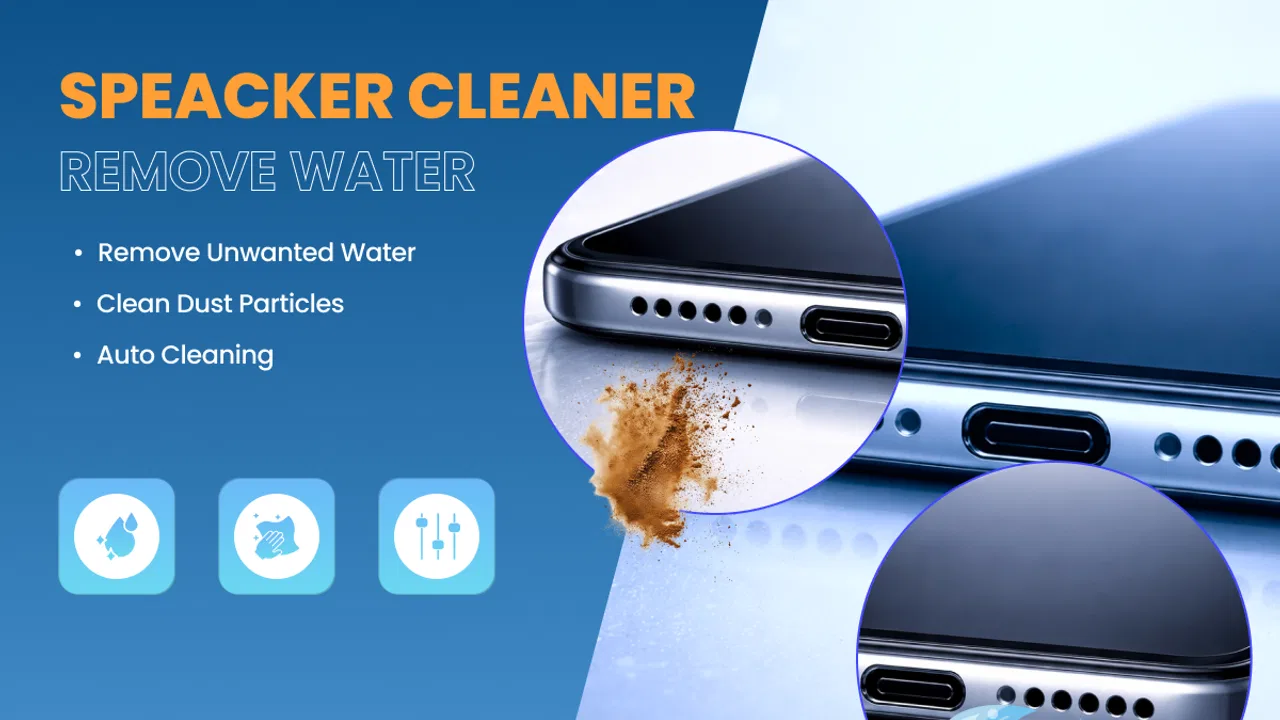
Speaker Cleaner - Water Eject is designed to remove water and dust from your device's speaker by emitting specific sound frequencies. This can help improve sound quality and performance if your phone has been exposed to water or debris. The app is particularly useful after exposure to rain, spills, or dusty environments.
02Is the Speaker Cleaner app safe to use on all devices?
Yes, the Speaker Cleaner - Water Eject app is generally safe for most Android and iOS devices. However, it's always a good idea to check the app's compatibility with your specific device model. Additionally, ensure your phone’s volume is set to a safe level to avoid potential damage to the speakers.
03How effective is the Speaker Cleaner app at removing water from speakers?
The effectiveness of the Speaker Cleaner - Water Eject app can vary based on the extent of water exposure and device model. Many users report significant improvement in sound quality after using the app, but it may not completely resolve severe water damage. It’s a helpful first step before seeking professional repair.
04Does the app require an internet connection to work?
No, the Speaker Cleaner - Water Eject app does not require an internet connection to function. The app uses pre-programmed sound frequencies to remove water and dust, so you can use it offline anytime, anywhere. This makes it convenient for emergency situations when connectivity might be an issue.
05Are there any costs associated with using the Speaker Cleaner app?
The Speaker Cleaner - Water Eject app is available for free with basic features. However, there may be in-app purchases or ads, depending on the version you download. Premium versions might offer additional functionalities or an ad-free experience. Check the app store details for any related costs before downloading.
Pros
- Efficiently expels water from speakers.
- User-friendly interface for easy operation.
- Quick process requiring minimal user input.
- Compatible with most Android and iOS devices.
- Includes multiple cleaning modes for flexibility.
Cons
- Limited to speaker water removal only.
- Free version contains intrusive ads.
- No offline functionality available.
- May not work on severely damaged speakers.
- Lacks customization options for sound frequencies.

Speaker Cleaner - Water Eject
Gallery